Trips, reconciled
WorkRippling · Spend & Travel
Trips, reconciled
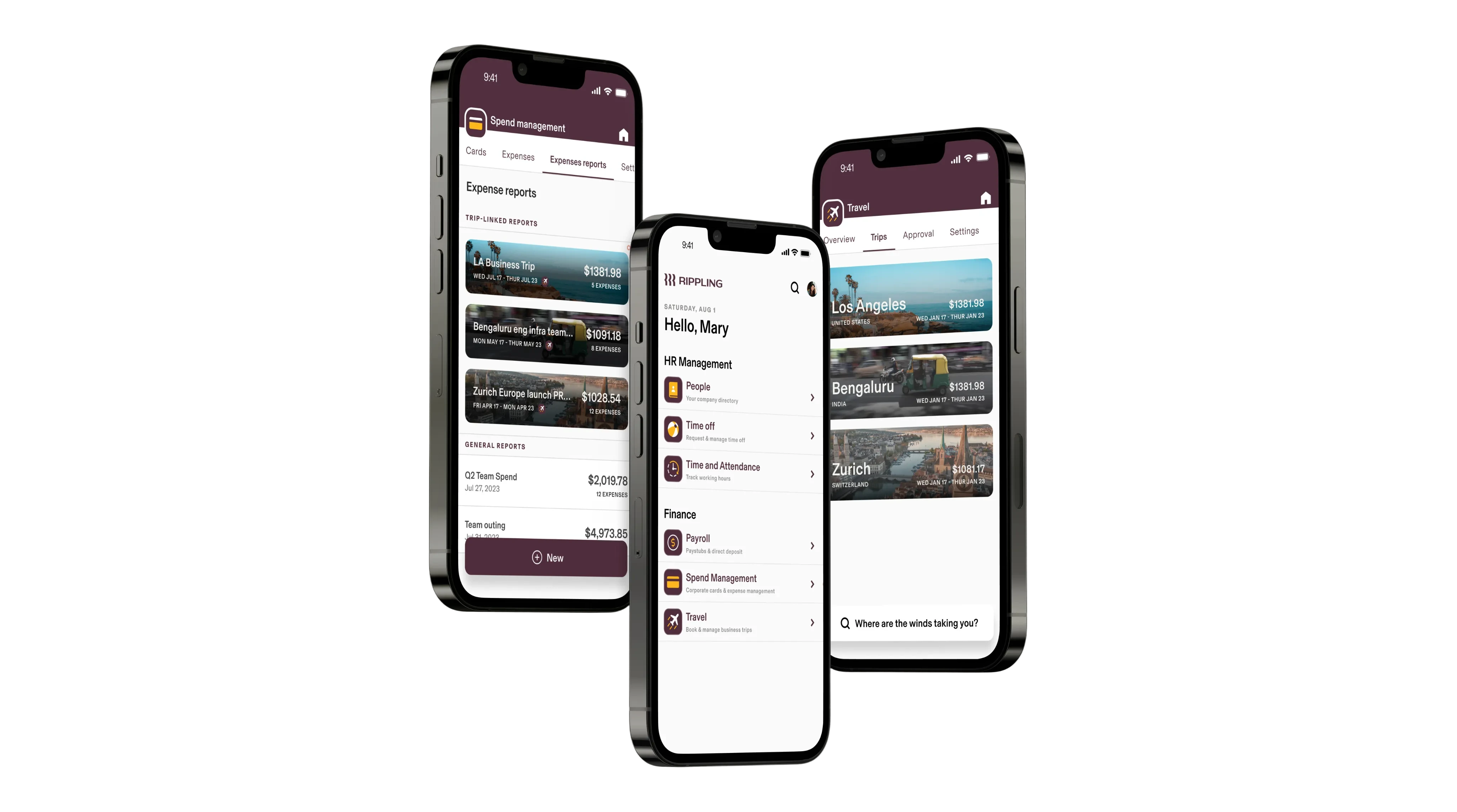
Link bookings and every cost in a Trip-Linked Expense Report
Project snapshot
My contribution
Role
Lead Product Designer (Spend)
Focus
Strategy, IA, object model, flows, visuals, component specs
With
Travel Product Designer • UX Research • Design Systems
Constraint
Spend mobile ran on aging components while Travel mobile was greenfield, so the two risked drifting apart
Project details
- Company
- Rippling
- Product area
- Spend & Travel
- Discipline
- Product design · Mobile
- Timeline
- Apr 2023 → 2025
- Status
- Travel GA summer ’25; shared report targeted Q4 ’25
- Object model
- Trip-linked report bookings, cards and reimbursements in one place
- Validation
- Tested with Navan users current and former
- Systems
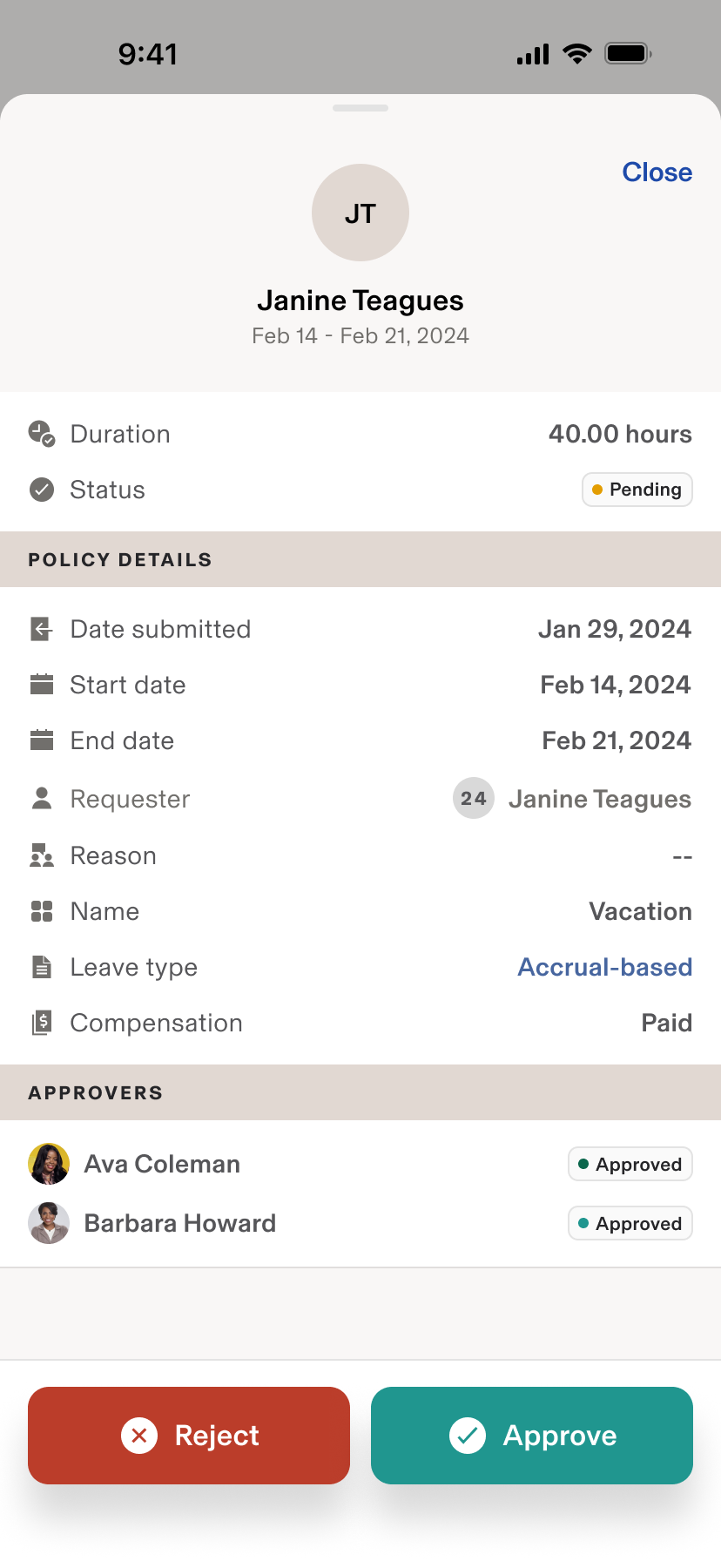
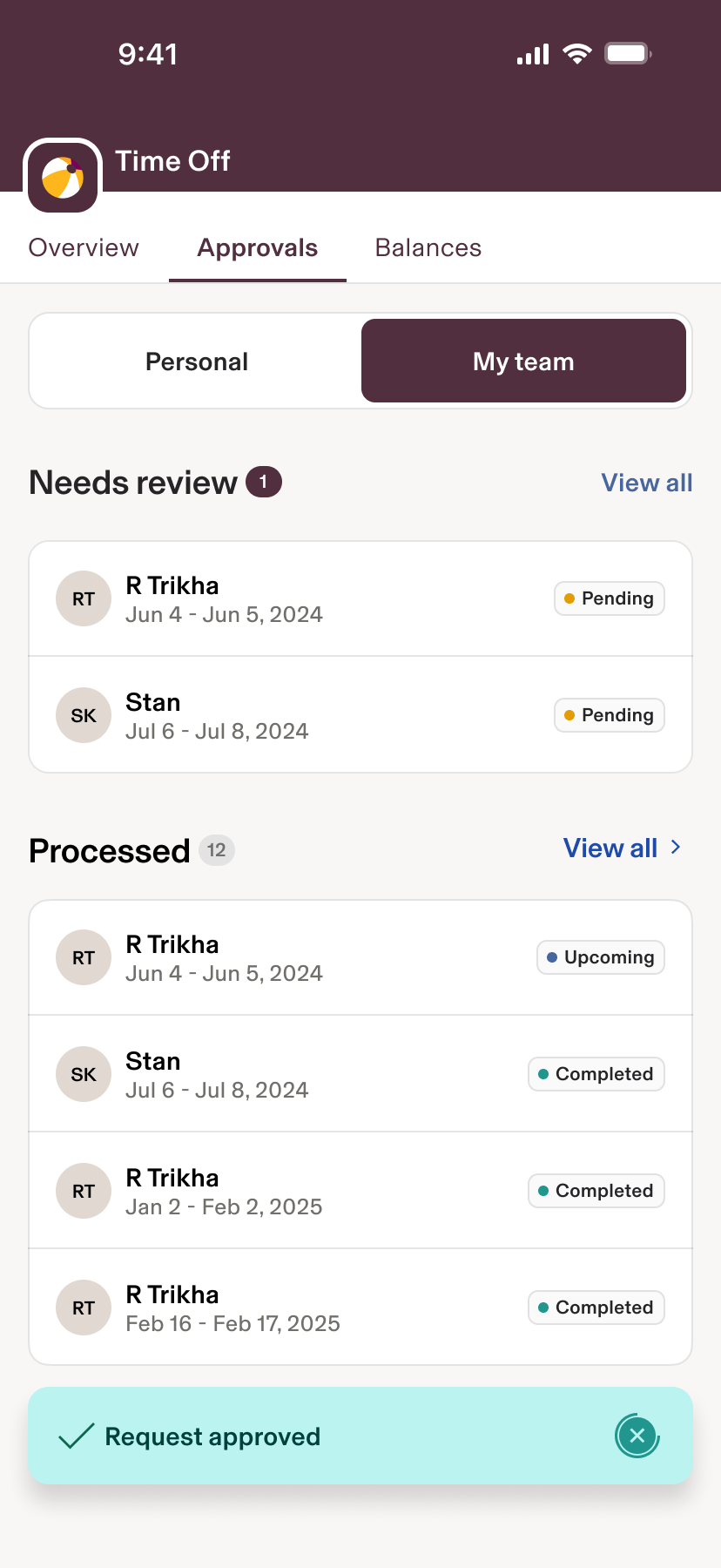
- Seeded the component library patterns reused for Time Off mobile
00 Overview
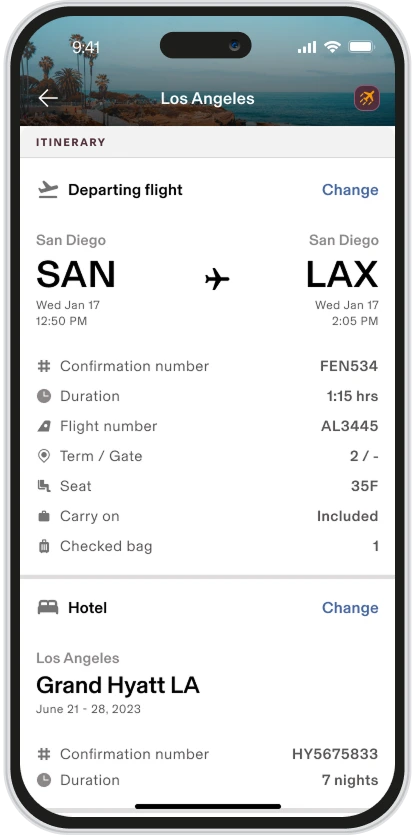
Travel bookings and Spend lived in separate apps, forcing employees to reconstruct a trip across screens. I led the Spend side with Travel to introduce a Trip-Linked Expense Report—one object that binds itinerary items (flights/hotels/cars) with every related cost (corporate card transactions, reimbursements, per diem). We prototyped variants, tested with Navan users, and used the work to seed Rippling’s new mobile component library, which later accelerated the Time Off mobile redesign.
01 The problem
One trip, split across two apps
Travelers think of a trip as one bucket of costs, but bookings lived in Travel and expenses in Spend, so they reconciled it themselves. Competitors like Navan show trip spend in one place.
App silos
Travel vs Spend created context switching and “DIY reconciliation”
Mental model mismatch
Travelers think “one trip = one bucket of costs”
Legacy patterns
Spend mobile used aging components; Travel mobile was greenfield → risk of drift
Market bar
Competitors (e.g., Navan) show consolidated trip spend
Trip details
Spend versus Travel problem context
02 Solution highlights
One object for the whole trip
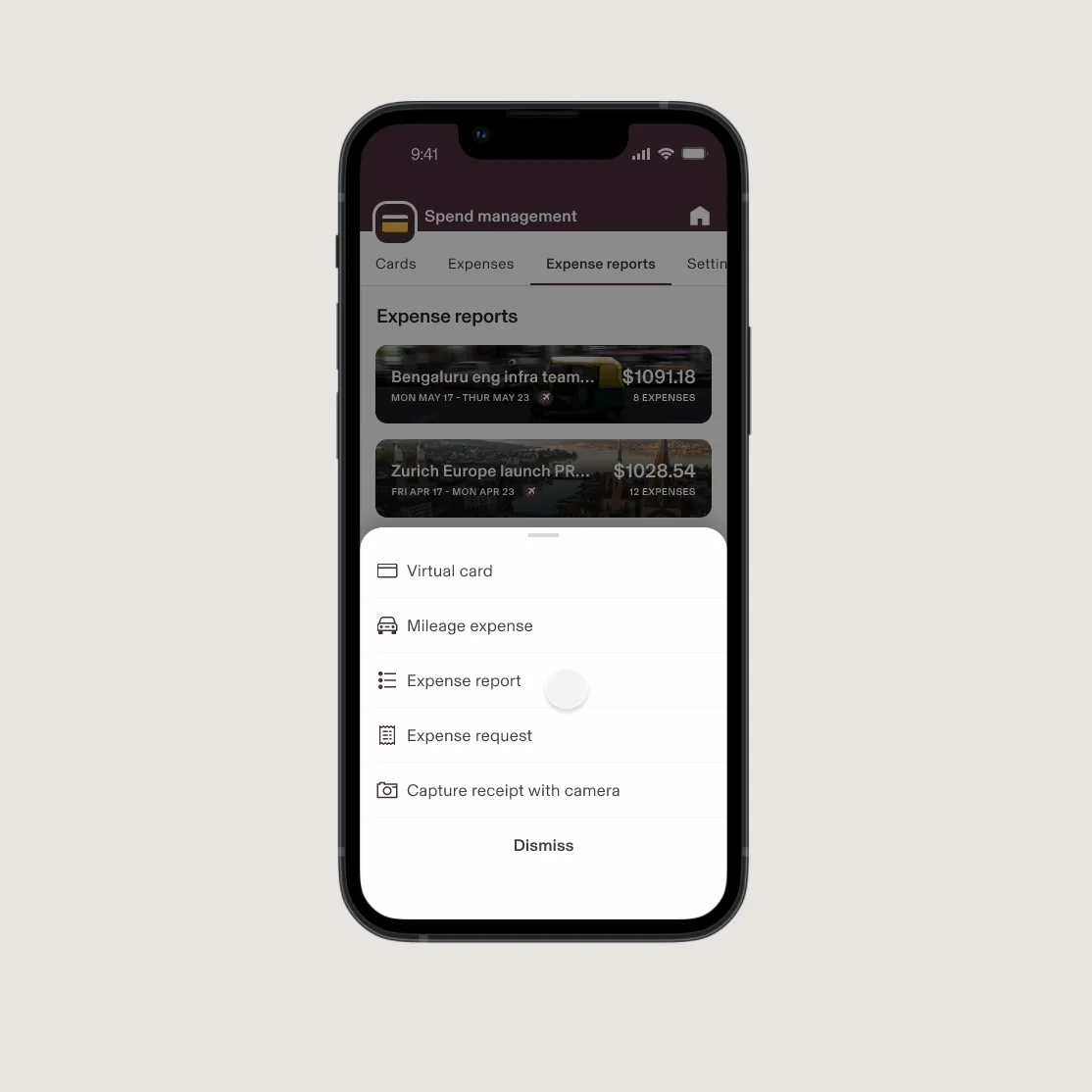
A Trip-Linked Expense Report you can create or attach from either Travel or Spend. It suggests transactions and receipts from the trip window and flags receipt or memo requirements to fix in-flow.
Trip-Linked Expense Report
bi-directional: create/attach from Travel or Spend
Auto-suggested linking
Detect transactions/receipts within trip window
Policy clarity
Inline indicators for receipt/memo requirements; fix in-flow
Cross-suite precedent
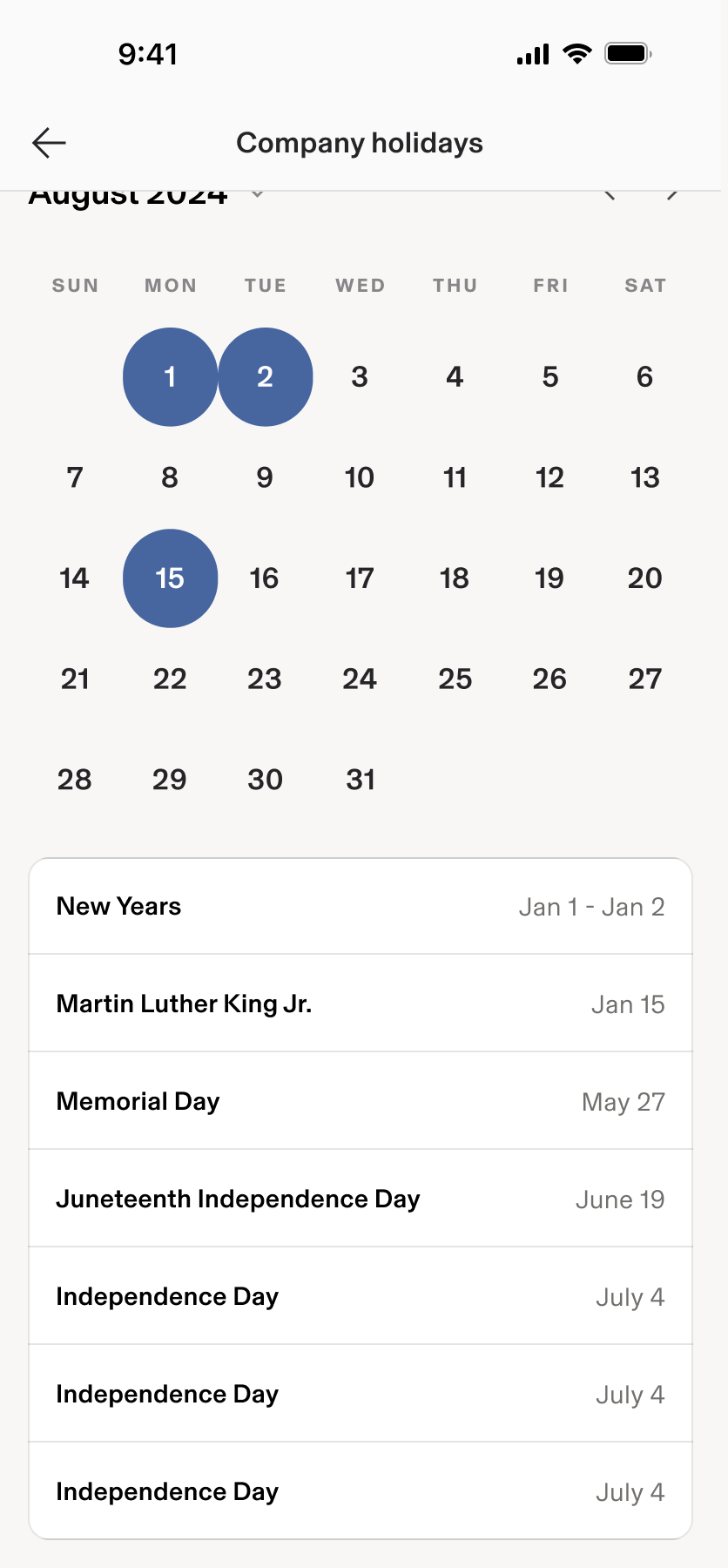
Model used to guide Time suite (Timesheets/Time Off/Holidays)
03 Process
From audit to a shared pattern
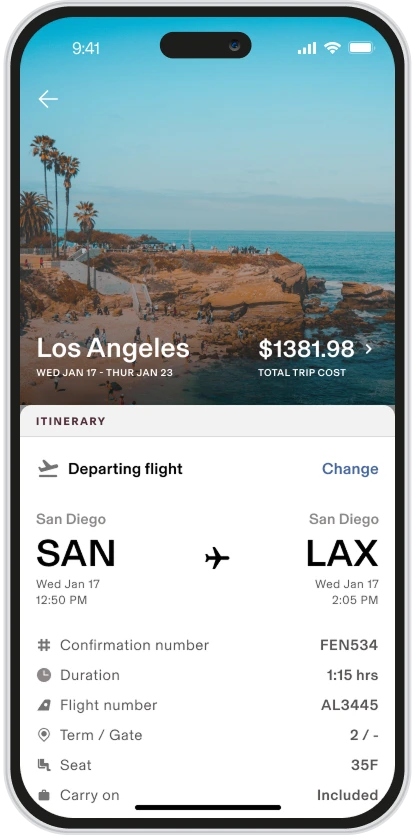
Step 03.1 Audit
Where two mobile apps could drift apart
Spend mobile (legacy) + Travel mobile (greenfield) → gaps & drift risks
FIG. CLegacy Rippling & Spend app components · New Travel app with updated components 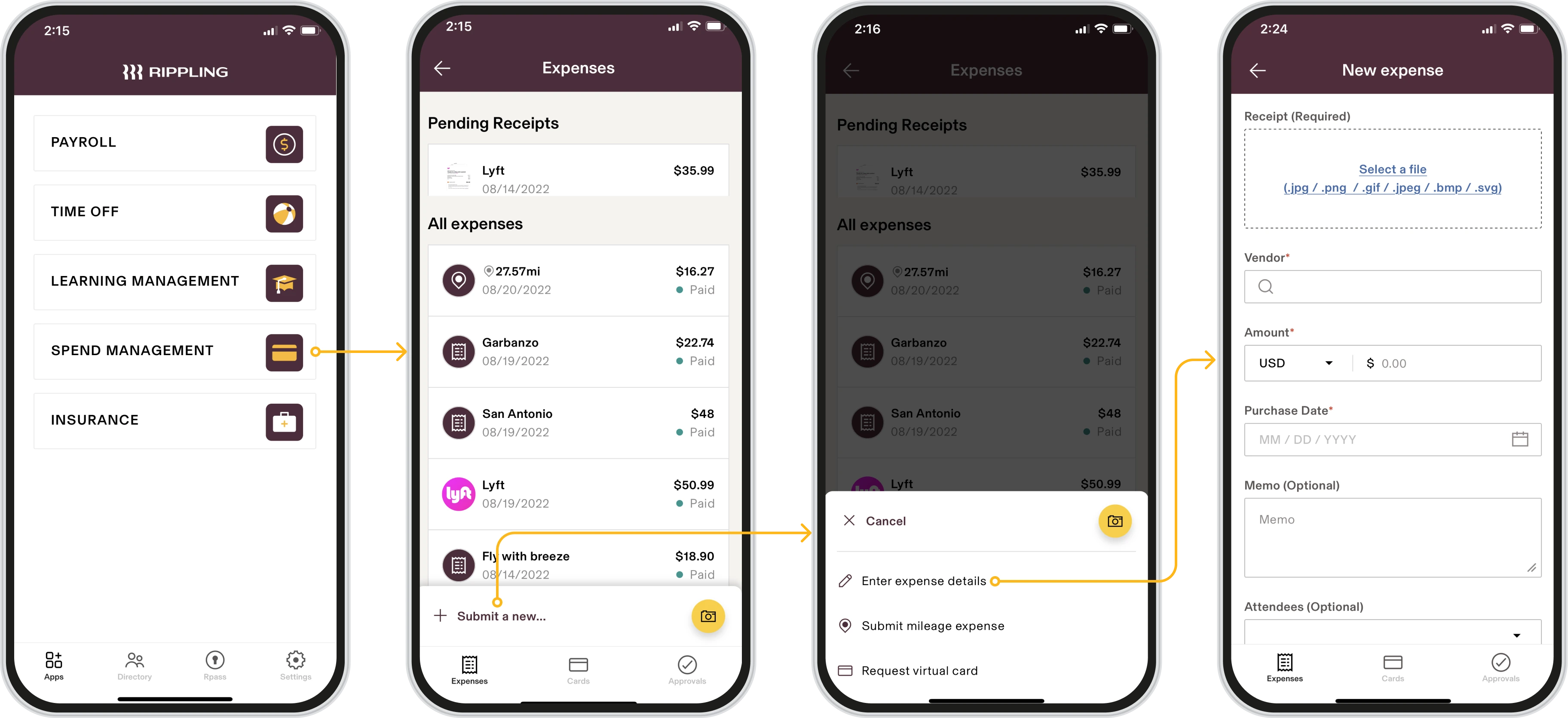
BeforeLegacy Rippling & Spend app components AfterNew Travel app with updated components
Step 03.2 Strategy/IA
What is a trip-linked expense report?
Define what a Trip-Linked Expense Report is
FIG. DTrip-Linked Expense Report strategy and information architectureThe same nodes, inside one object Trip expense report1 trip - 1 bucket of costs
RipplingSpend appLegacy appTravel app0→1 appExpensesCard TranxFlightsHotelsRental carsMealsClient meetingEntertainmentTrip-Linked Expense Report strategy and information architecture
Step 03.3 Flows
Two ways in, one report
Mapping admin user journeys; entry points from both apps
FIG. ESpend and Travel admin journey flowsEntry points from both apps, converging on one trip From Travel AppSelect a flightCheck outSelect or create a tripHow do you pay?My own moneyRippling Travel Account (?)Rippling Corporate cardSystem automatically creates a new expense request objectTRIP OBJECT CREATEDTrip dates confirmedFlight attachedView trip spendAdd expenses?Create a new expense, or select an existing oneFrom Spend appCreate new expense requestDoes this belong to a Trip objectSubmit your requestUse my Corporate Card to make purchases during tripSystem detects Dates & Category of purchaseAutomatically attach to Trip ObjectAsk user to Confirm if that is correct. (Must go back into their Spend App)Expense added to trip- From Travel App leads to Select a flight
- Select a flight leads to Check out
- Check out leads to Select or create a trip
- Select or create a trip leads to How do you pay?
- How do you pay? leads to My own money
- How do you pay? leads to Rippling Travel Account (?)
- How do you pay? leads to Rippling Corporate card
- My own money leads to System automatically creates a new expense request object
- Rippling Travel Account (?) leads to TRIP OBJECT CREATED
- Rippling Corporate card — Book — TRIP OBJECT CREATED
- TRIP OBJECT CREATED leads to Trip dates confirmed
- TRIP OBJECT CREATED leads to Flight attached
- TRIP OBJECT CREATED leads to View trip spend
- View trip spend leads to Add expenses?
- Add expenses? leads to Create a new expense, or select an existing one
- Create a new expense, or select an existing one leads to Expense added to trip
- System automatically creates a new expense request object leads to Expense added to trip
- From Spend app leads to Create new expense request
- Create new expense request leads to Does this belong to a Trip object
- Does this belong to a Trip object — Yes, attach to Trip Object — TRIP OBJECT CREATED
- Does this belong to a Trip object leads to Submit your request
- Submit your request leads to Expense added to trip
- Use my Corporate Card to make purchases during trip leads to System detects Dates & Category of purchase
- System detects Dates & Category of purchase leads to Automatically attach to Trip Object
- Automatically attach to Trip Object leads to Ask user to Confirm if that is correct. (Must go back into their Spend App)
- Ask user to Confirm if that is correct. (Must go back into their Spend App) leads to Expense added to trip
Step 03.4 Prototype/Test
Several concepts, tested with Navan users
Multiple concepts; tests with current/former Navan users
FIG. FTrip-linked report prototype concept one 
Showing image 01 / 03
Step 03.5 Systemize
Built to be reused
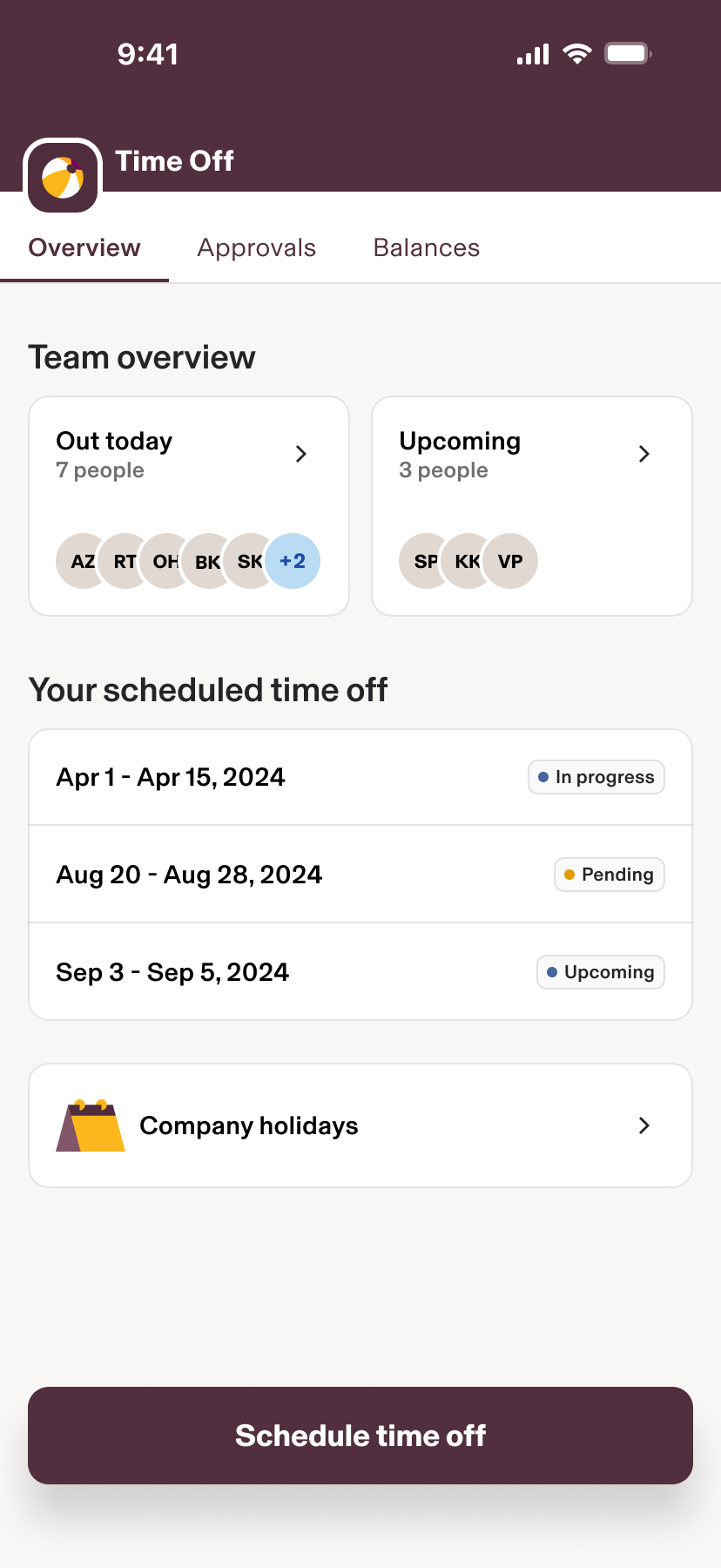
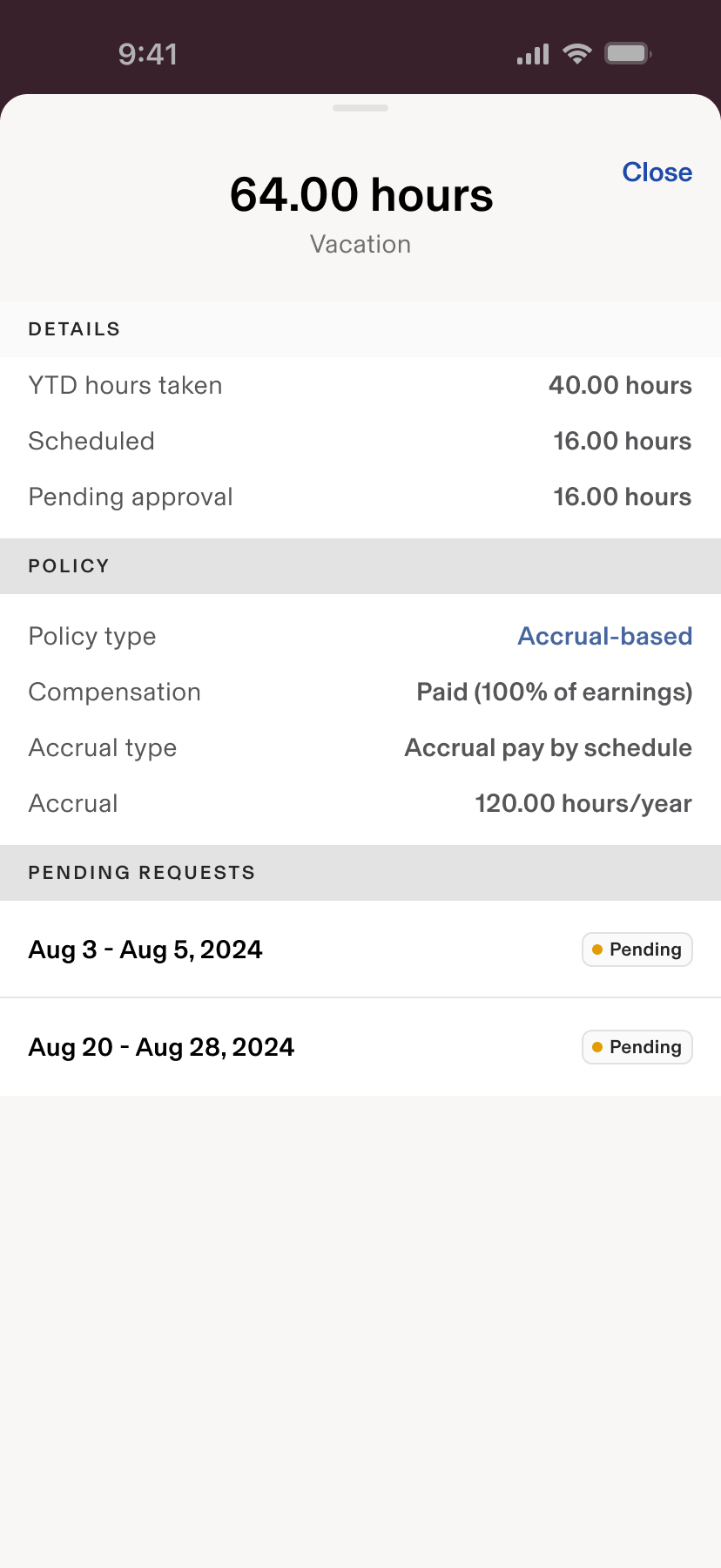
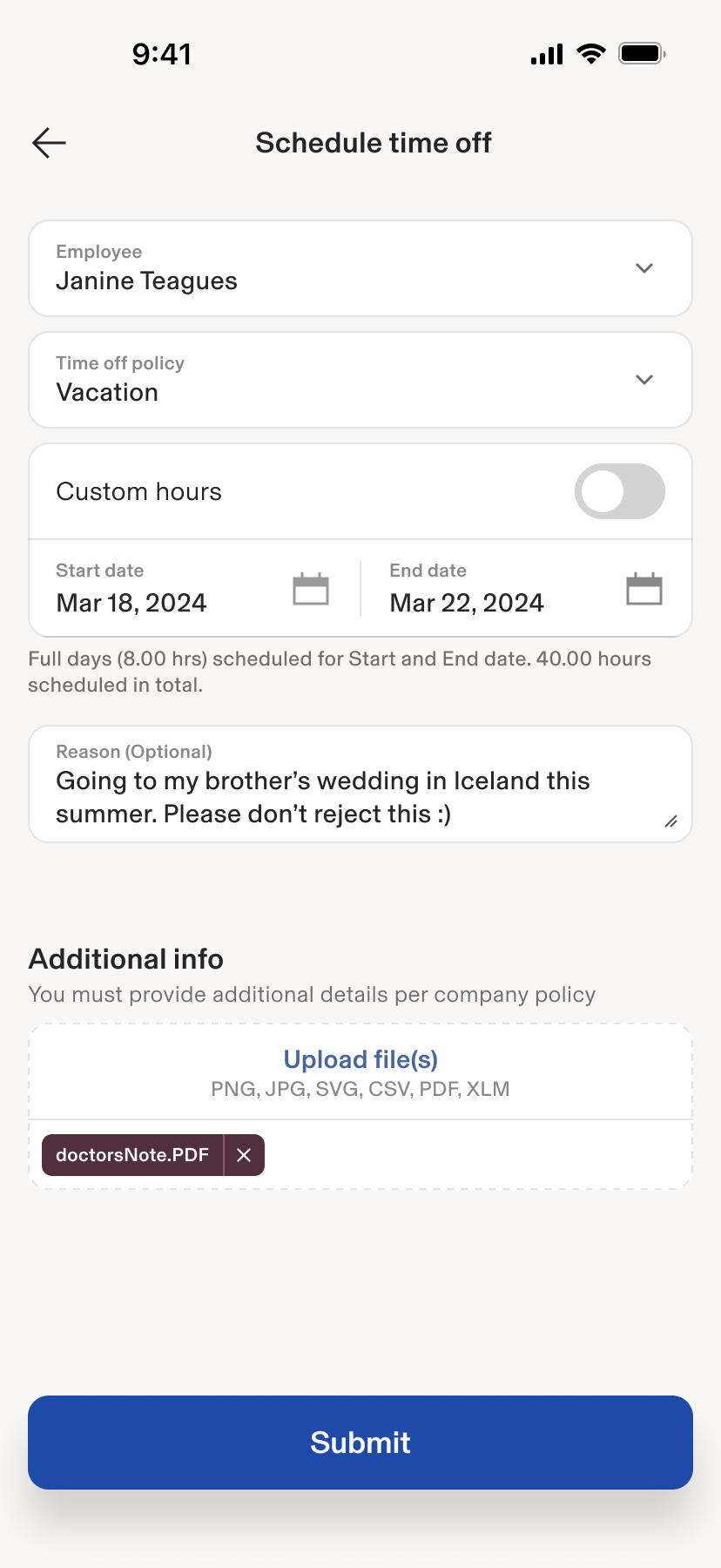
Component specs → Design Systems; patterns reused for Time Off mobile
FIG. GLegacy Time Off Mobile UX · Updated Time Off Mobile UX BeforeLegacy Time Off Mobile UX
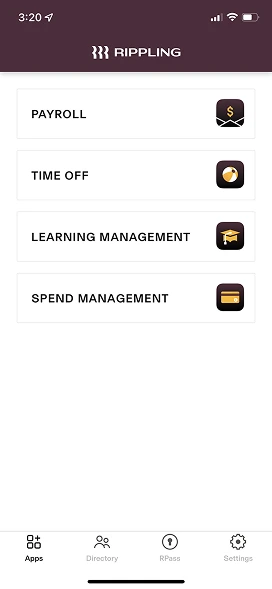
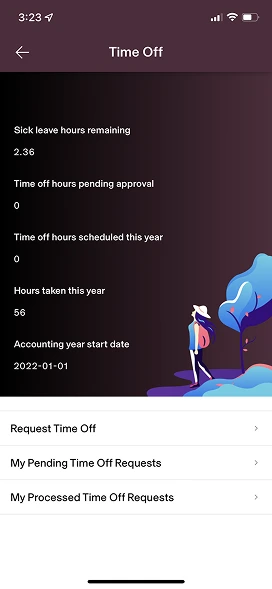
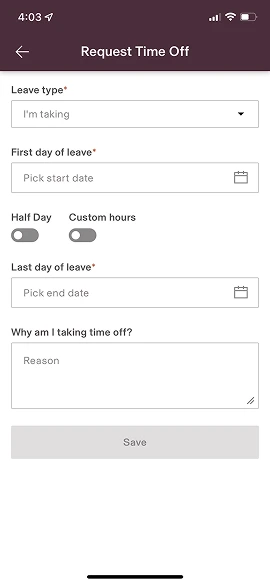
AfterUpdated Time Off Mobile UX
What I learned
- The object model (not navigation) is the lever that collapses silos
- Investing in shared mobile components early prevents drift and compounds speed
The single trip model finally matches how travelers think: one itinerary, one total. The additional UI refresh makes this feel like a real app