A kiosk-first redesign with badge/biometrics and a future-proof framework
New app: large targets, fast auth, unified patterns
New app: large targets, fast auth, unified patterns
Project snapshot
My contribution
Role
Lead Product Designer (end-to-end)
Focus
Strategy, IA, flows, patterns, visuals, admin ux
With
VP of Product (sponsor) • 2 Engineers • UX Researcher • PM joined post-v1
Constraint
Internal dogfood against performance goals of under 3s to clock in and out
Project details
Company
Rippling
Product area
Time & Attendance
Discipline
Product redesign · Tablet app
Timeline
Oct 2024 → Jul 2025 launch
Status
Ongoing iterations
Scale
600k+ clock-ins per month
Product
New hardware SKU
Outcome
$1.1m ARR in 6 mos
00 Overview
Rippling’s kiosk was a stretched phone UI that created shift-change lines and support pain. I led a ground-up tablet redesign: a kiosk-first layout, large hit targets, badge login (biometrics-ready), and admin controls to map devices and locations at scale. We shipped in Jul 2025, unified the Timeclock App and Device experiences, and unlocked a new hardware SKU.
01 The problem
A phone UI stretched across a kiosk
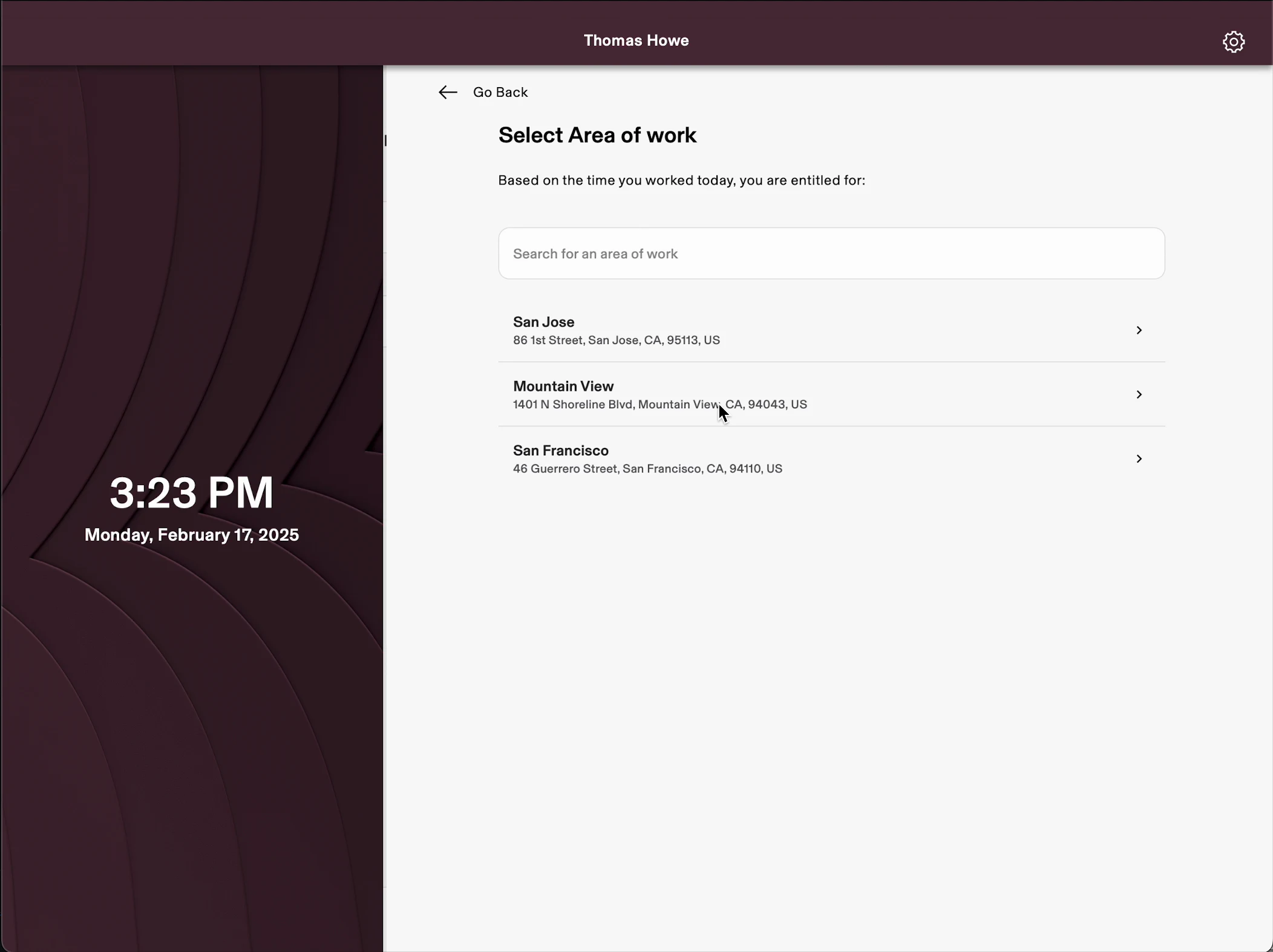
Tiny targets and a search-and-PIN flow created lines at shift change, with no badge or biometric login. Years of UX drift meant the fix was a redesign, not a patch.
Phone UI on tablets → slow clock-ins
Search → select → PIN → job with tiny targets; long shift-change queues proved we needed kiosk-first, single-tap actions
No fast auth; gaps
Name+PIN only—no badge/biometrics for speed or anti-buddy-punching—fell short for hourly workforces
Years of UX drift → redesign, not patch
“Just add badge clock-in” scope exposed ux gaps. The right fix was a ground-up redesign + layout system, not another incremental tweak.
FIG. ALegacy UI with mobile components on tablets,small targets, unclear hierarchy
BeforeLegacy UI with mobile components on tablets,small targets, unclear hierarchy
02 Solution highlights
One tap, one decision per screen
A kiosk-first layout system with large targets and fast badge login, biometrics designed from day one, for both bring-your-own tablets and a dedicated Timeclock Device
Dual Distribution
Bring your own device (BYOD) native app + dedicated Timeclock Device variant optimized for tap-to-clock
Kiosk-first layout system
One-decision screens, large targets, consistent action/context/feedback regions
Fast authentication
Badge now; biometric patterns (finger/face) designed day-one. Unique PIN also added to avoid name search. Prevent “buddy punching.”
Roadmap-ready IA
Slots for schedules, timecard edits, PTO, on-kiosk onboarding
Admin control & observability
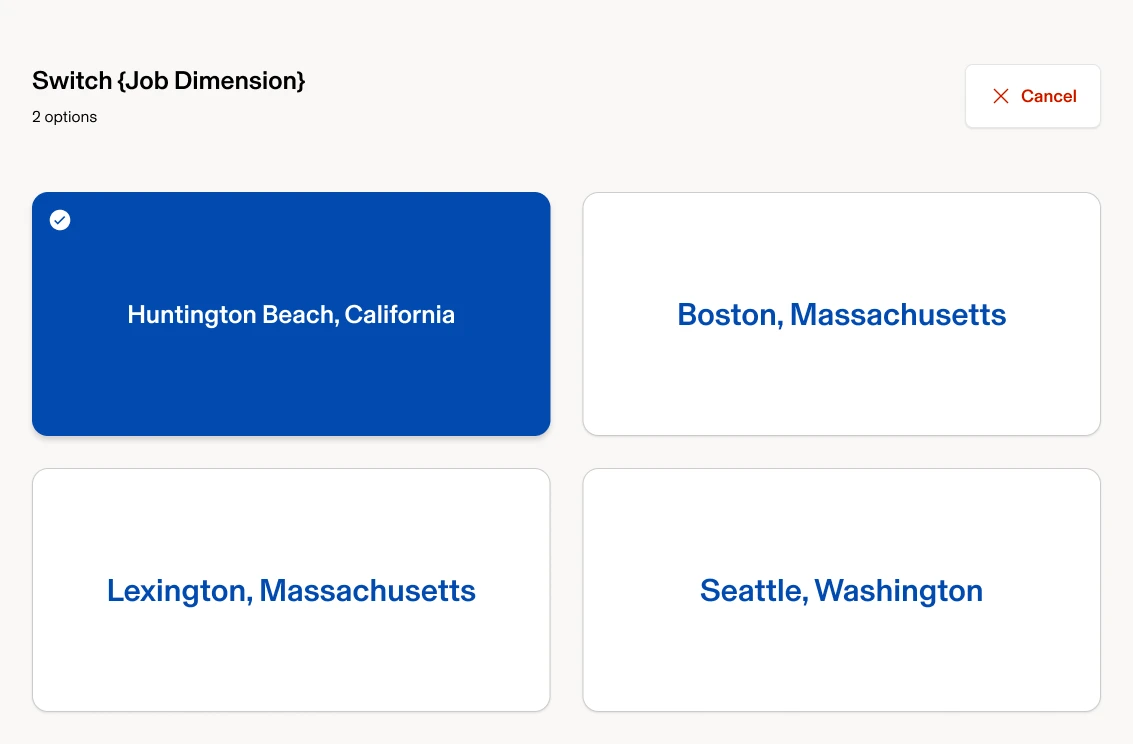
Tie devices to locations/entrances, configure auth methods, manage job dimensions
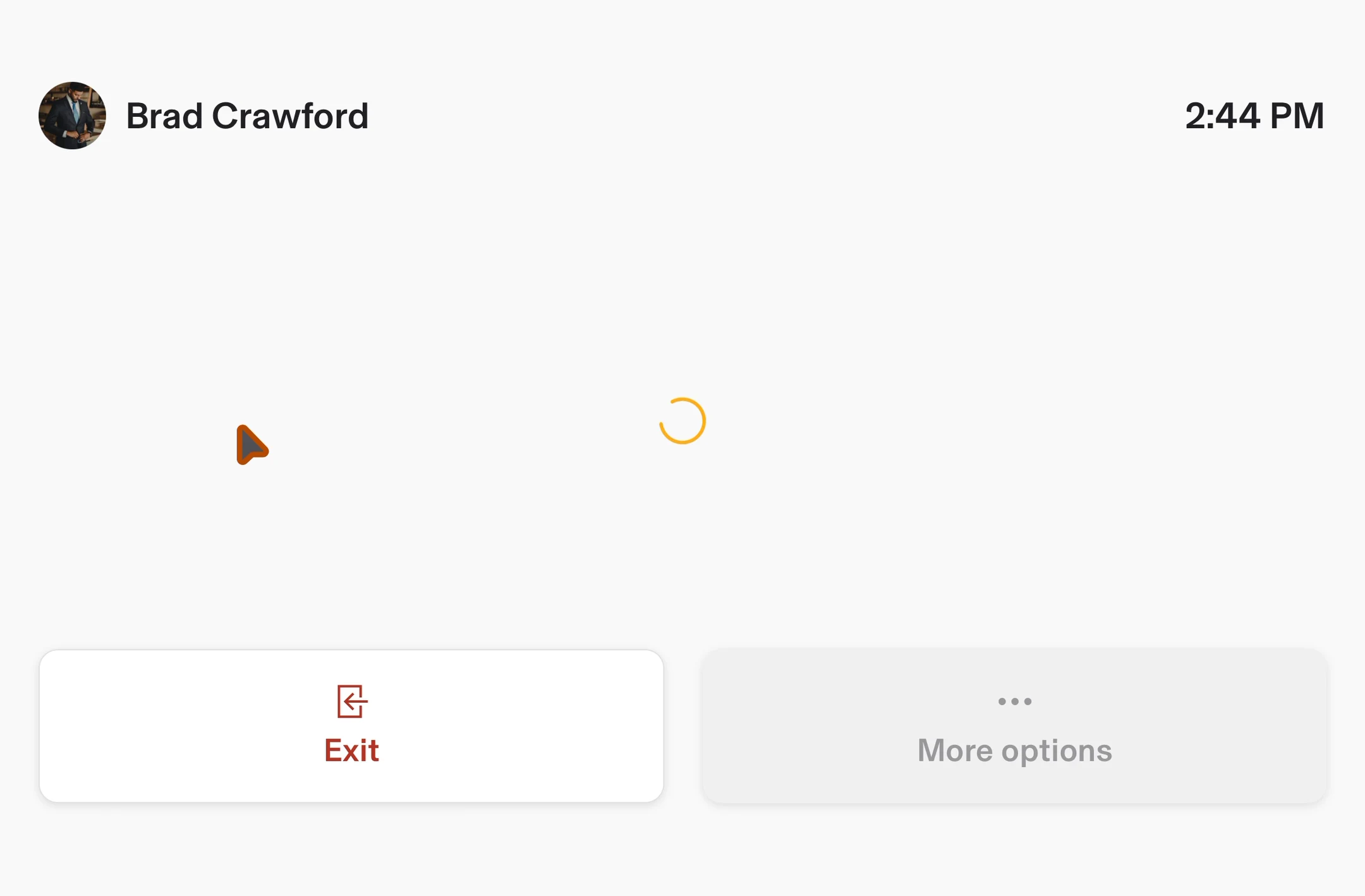
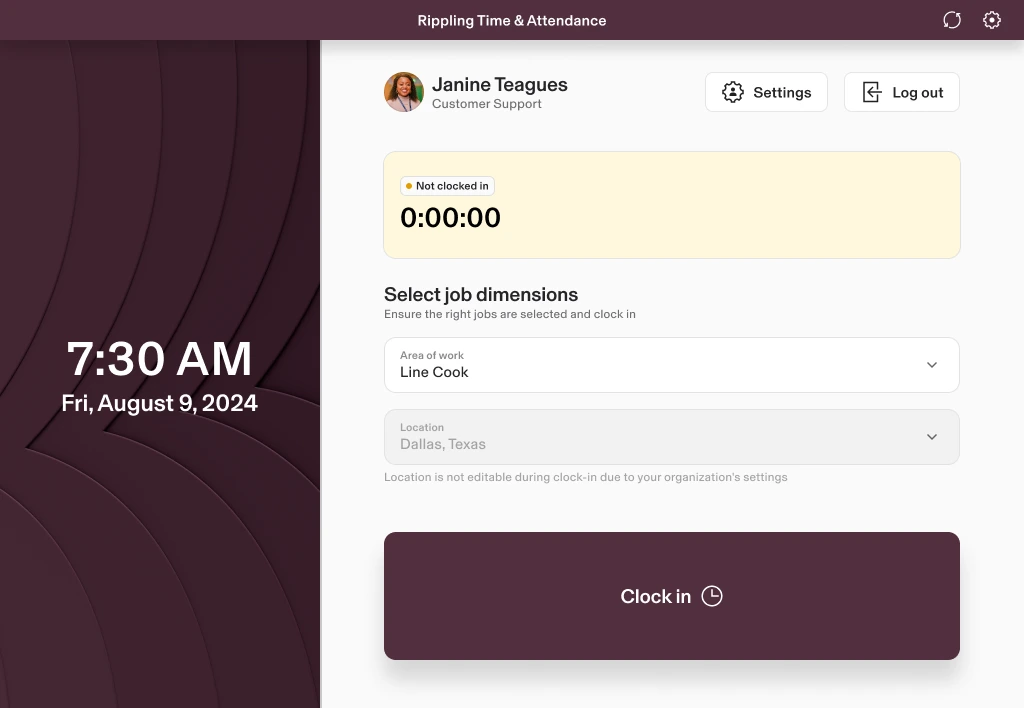
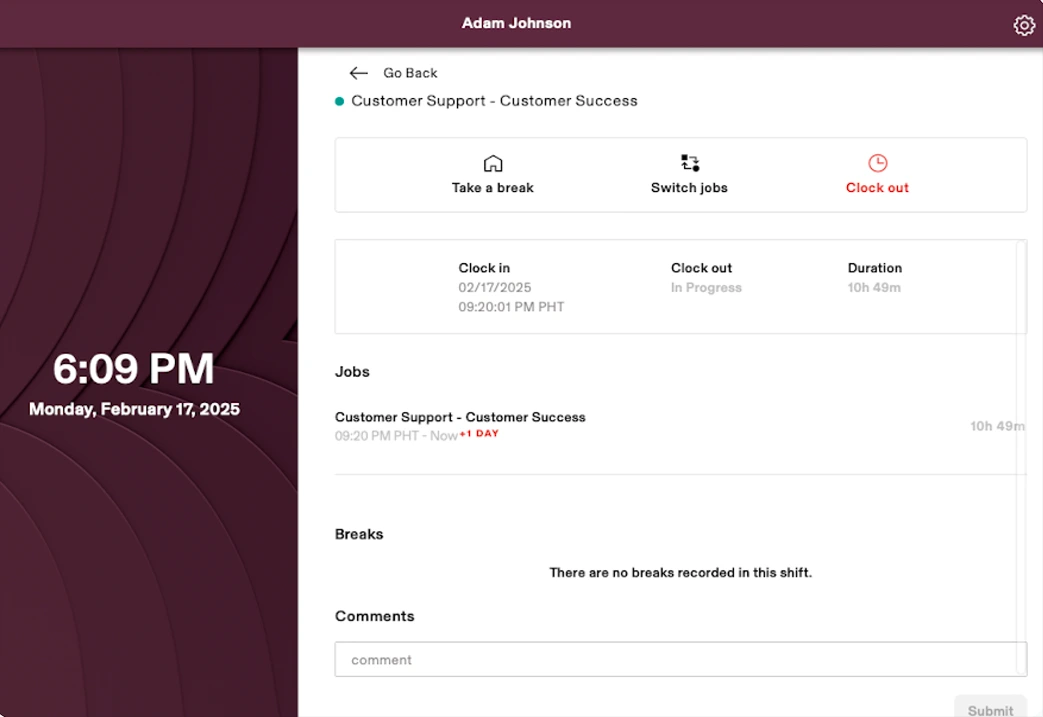
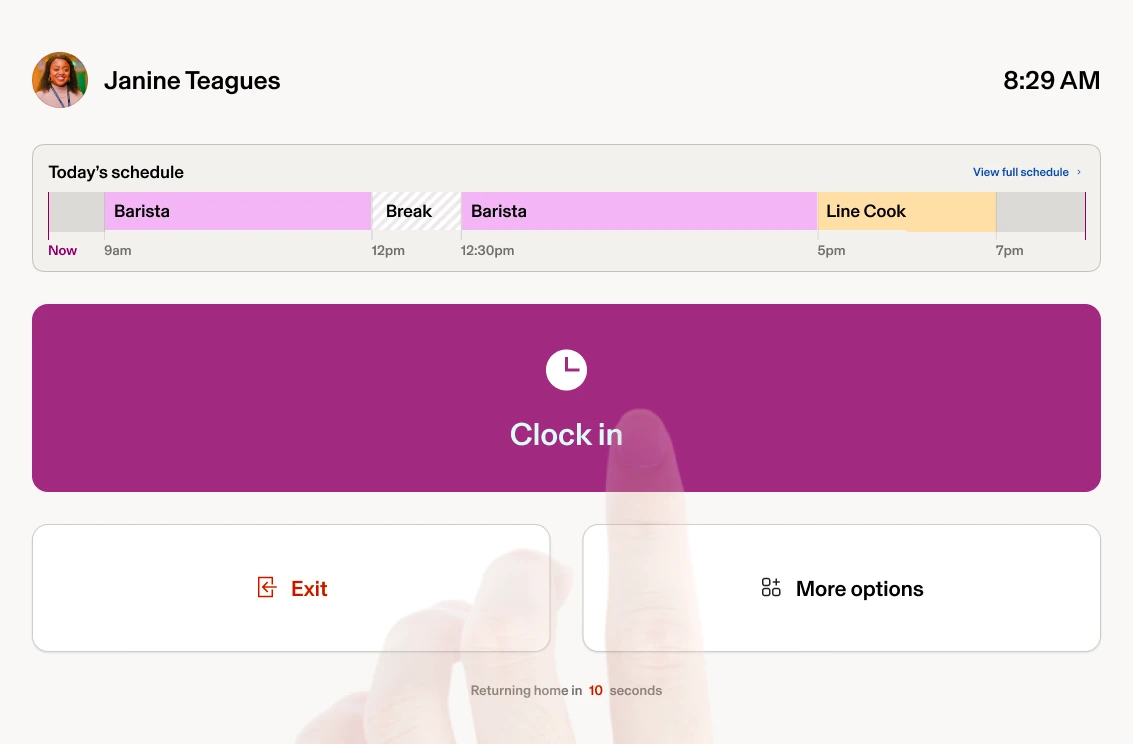
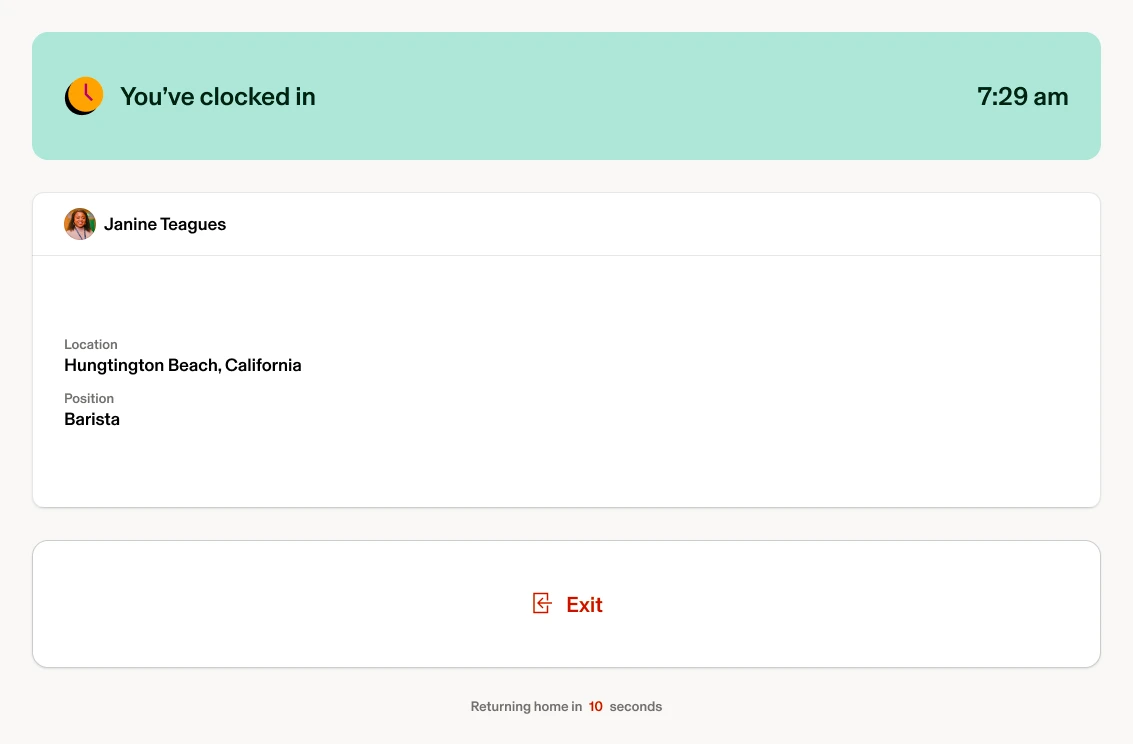
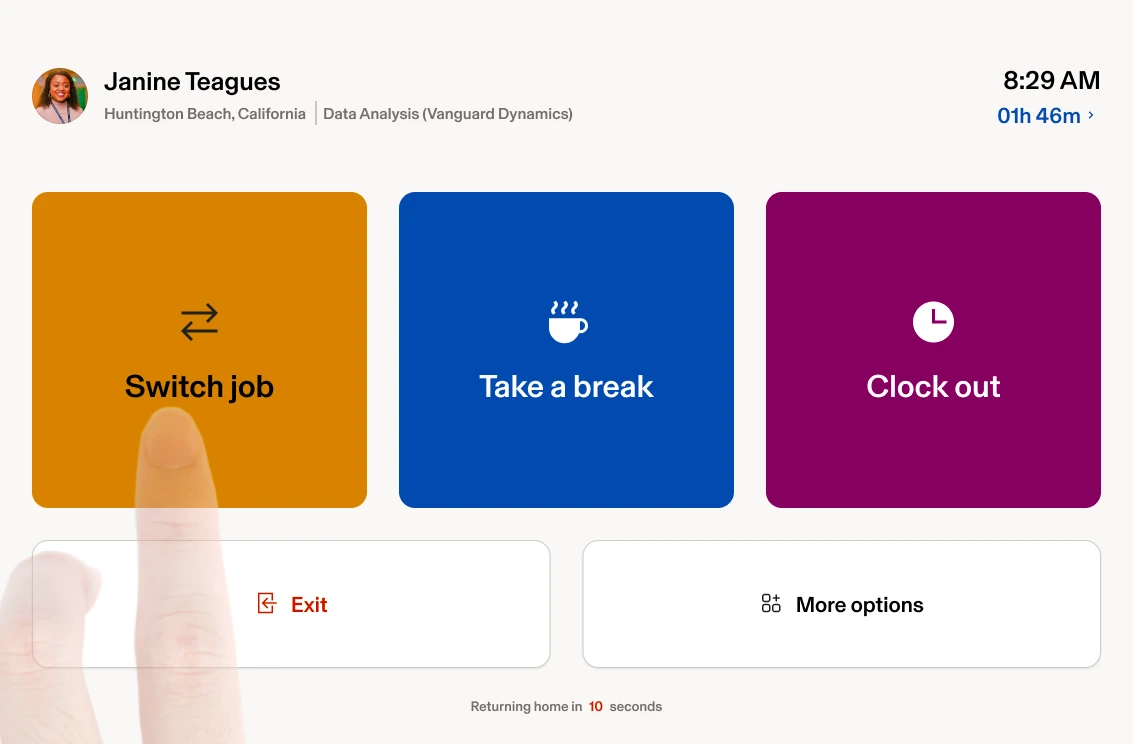
FIG. BTimeclock solution clips
AfterNative Timeclock app on BYO-Device tablet (Live in production)
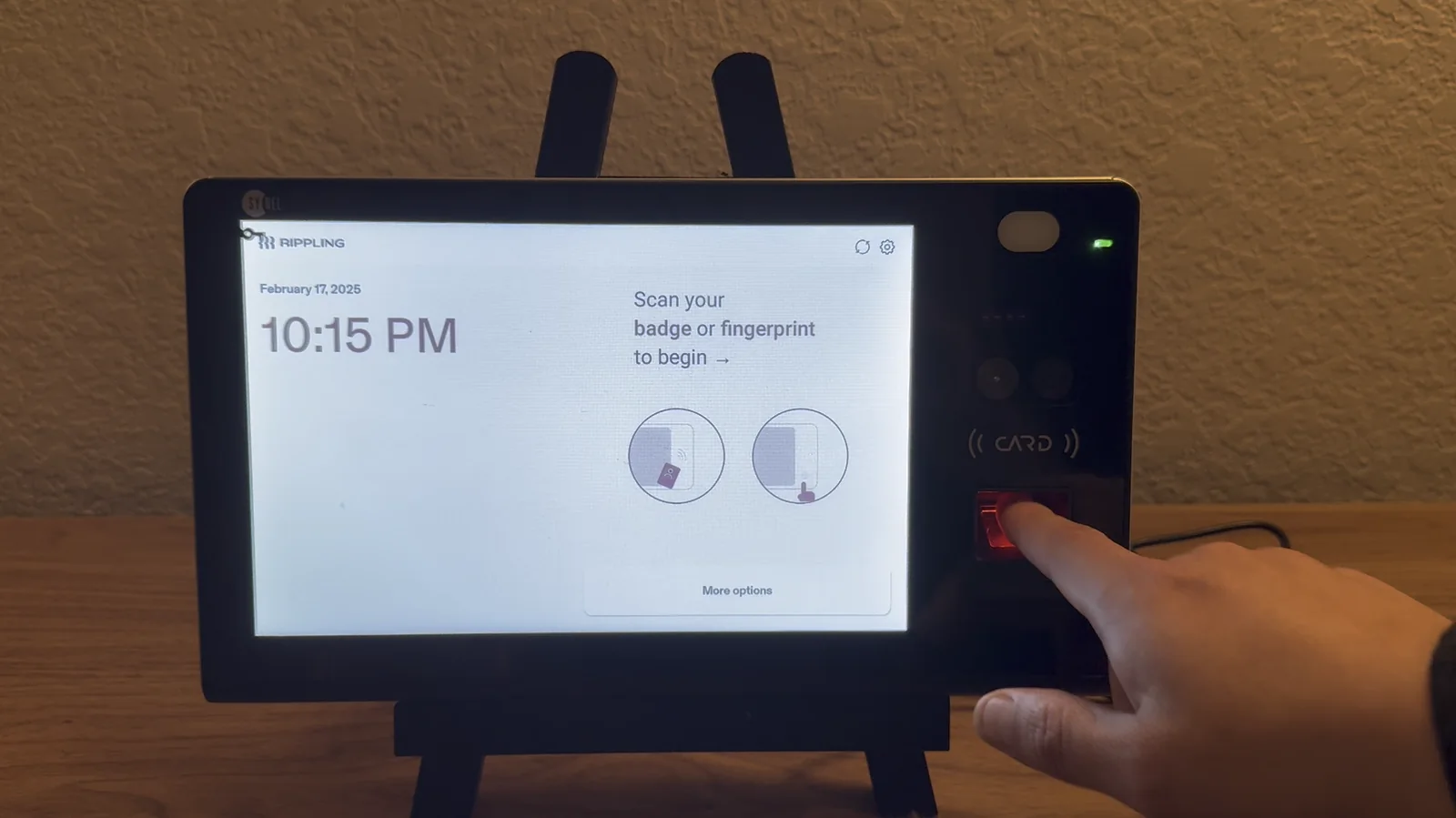
AfterTimeclock app for badge and biometrics sign in; Hardware device (marketing video)
03 Process
From the ask to shipped
Step 03.1 Initial ask
Add badge clock-in to the kiosk we had
Integrate badge and fingerprint reader into current kiosk; larger targets
FIG. CThe smallest change that adds badge clock-in to the legacy kiosk
Step 03.2 Discovery
Looking past the feature request
Customer painpoints beyond new features; competitor tear-downs (ADP/UKG/Square-like patterns); evolving business goals
Research
Enterprise readiness to support large hourly workforces
Part of Rippling’s success depends on winning enterprise clients with large hourly workforces
The redesigned Kiosk, renamed as Timeclock, is a competitive advantage against ADP and UKG
Designed to be a fast, seamless and reliable time-tracking experience
~20%
Clock-ins and outs are managed via the Timeclock, and we anticipate this number will increase as we onboard additional customers with hourly employees, supported by our hardware and updated app
Pain points and missing features (per customer research)
Schedule visibility
Viewing schedules so employees know their shifts immediately upon clockin
Work context
Collecting context from schedules to inform work assignments
Faster clock-ins
Modernizing clock-in methods by removing cumbersome name searches
Future expansion
Building a foundation for future features, including timecard edits, schedule change requests, and onboarding support
FIG. DLegacy Kiosk app - Home page
Legacy Kiosk app - Home page
Step 03.3 Strategy/IA
One layout rubric, two apps
Layout rubric and dual-app model (BYOD vs Device) to prevent drift
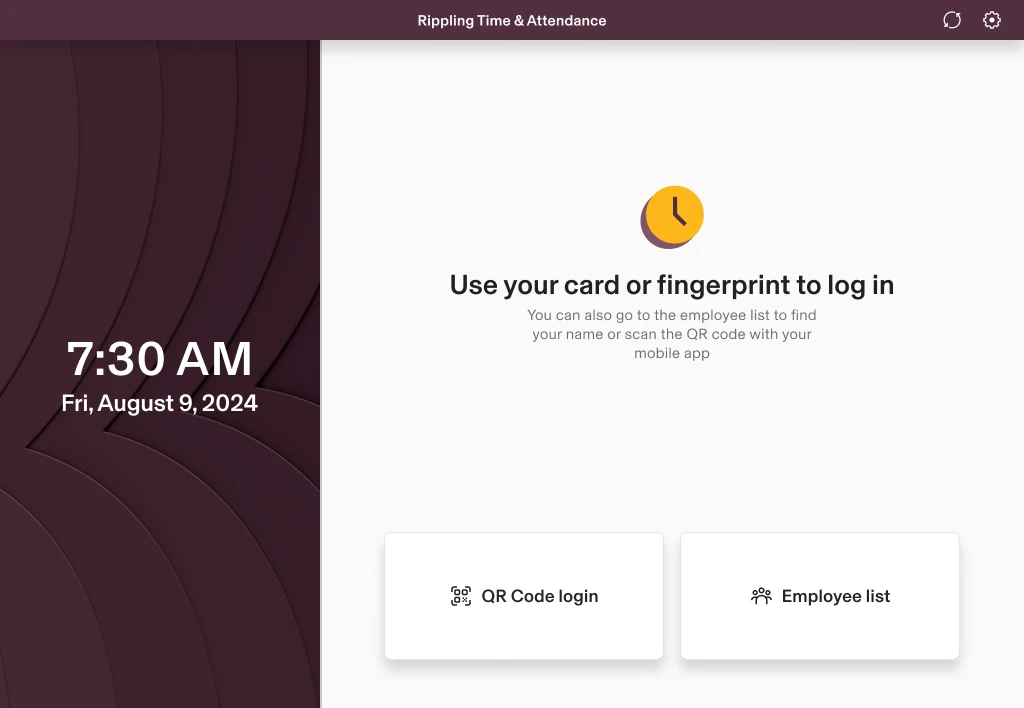
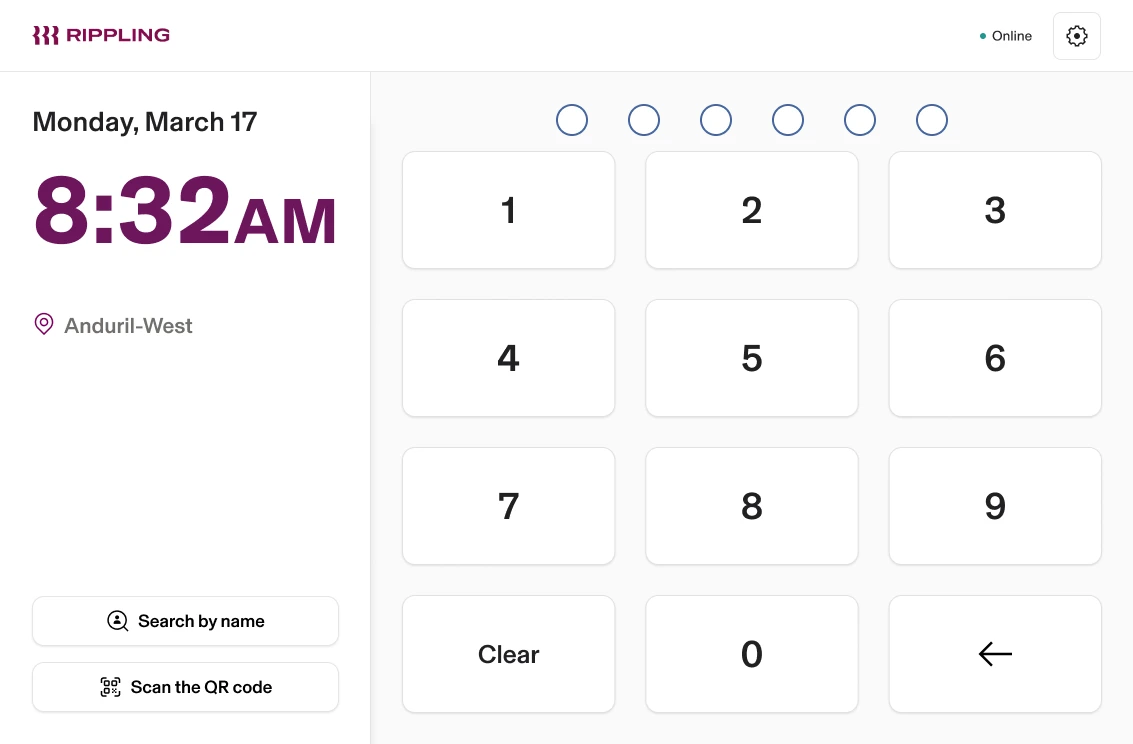
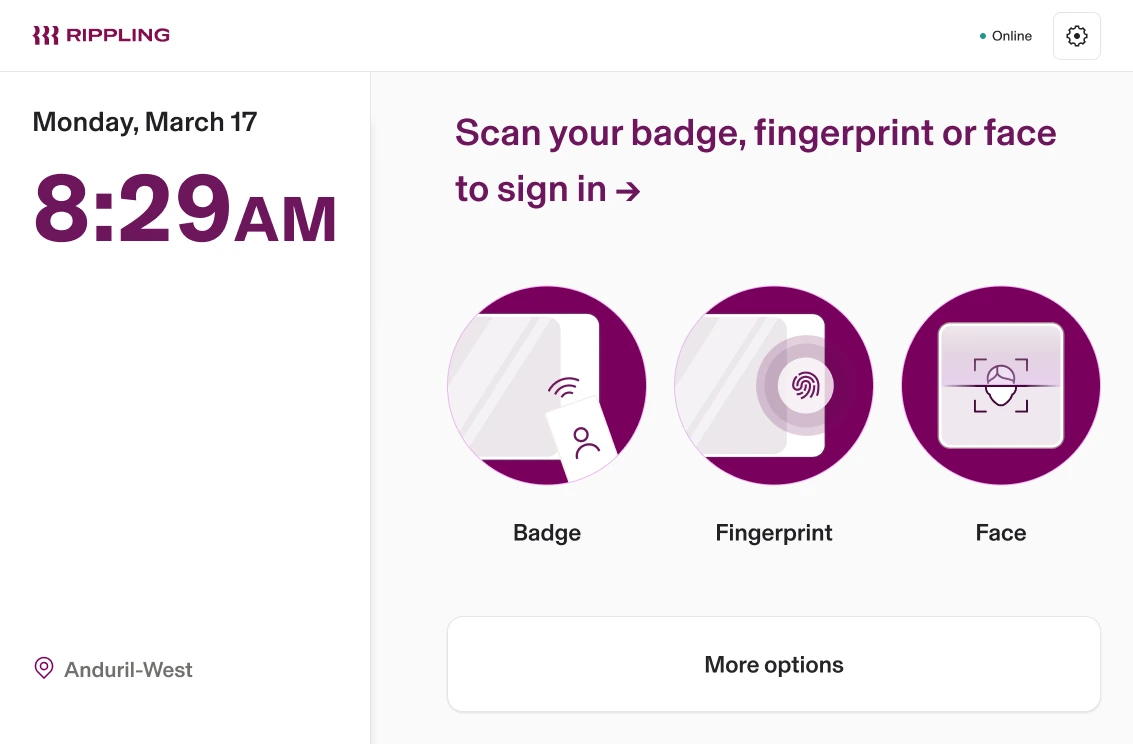
FIG. EKiosk layout systemOne layout grammar, four interaction states, two orientations
AHeader
BDate & time
CKiosk details
DSign-in actions
AHeader
Rippling logo, device status and settings. The one region every screen keeps.
BDate & time
The time large and primary; the date under it, smaller
CKiosk details
Company name, default job codes, or whatever else this kiosk needs to show
DSign-in actions
Badge, fingerprint or PIN by company configuration, with the primary method highlighted
Persistent shell
The header is the one region every screen keeps, so the frame is never re-learnt
Adaptive hierarchy
The primary action holds the largest region whichever way the device is turned
Shared regions
Four states, one grammar: each screen re-proportions the same regions rather than inventing a layout
Timeclock kiosk layout system: four screen states in two orientations.
Step 03.4 Flows
The ideal clock-in, step by step
Mapping ideal employee journeys
FIG. FTimeclock ideal employee journey flow mapTwo ways in, four ways through, one way out
-View my schedule-Edit time entry-Request time off-Add a note/commen
Clocked In
Job switched
Clocked out
Log out
Employee comes to work leads to Hardware?
Hardware? — Yes — Use company badge or place fingerprint on reader
Hardware? — No — Find name → enter EE Pin
Use company badge or place fingerprint on reader leads to Employee on the clock?
Find name → enter EE Pin leads to Employee on the clock?
Employee on the clock? — No → Clock in — Job input required?
Employee on the clock? — Yes → Switch jobs — Select job dimensions
Employee on the clock? — Yes → Clock out — Shift input survey (Extra activity during shift)
Use company badge or place fingerprint on reader — My profile — Profile Settings: -EE Rippling ID -PIN -Badge Number -Biometrics
Use company badge or place fingerprint on reader — Additional features (future) — -View my schedule -Edit time entry -Request time off -Add a note/commen
Job input required? — No — Clocked In
Job input required? — Yes — Select job dimensions
Select job dimensions leads to Job switched
Shift input survey (Extra activity during shift) leads to Clocked out
Clocked In — Exit — Log out
Job switched — Exit — Log out
Clocked out — Exit — Log out
Profile Settings: -EE Rippling ID -PIN -Badge Number -Biometrics — Save & exit — Log out
-View my schedule -Edit time entry -Request time off -Add a note/commen leads to Log out
Step 03.5 Prototype/Test
A three-second target, tested in-house
Internal dogfood; perf goals (< 3s to clock in/out)
FIG. GSYNEL10 Hardware Device - test
SYNEL10 Hardware Device - test
Step 03.6 Ship + iterate
Launch was where the polish began
Brand palette update + visual QA; post-launch polish; additional features
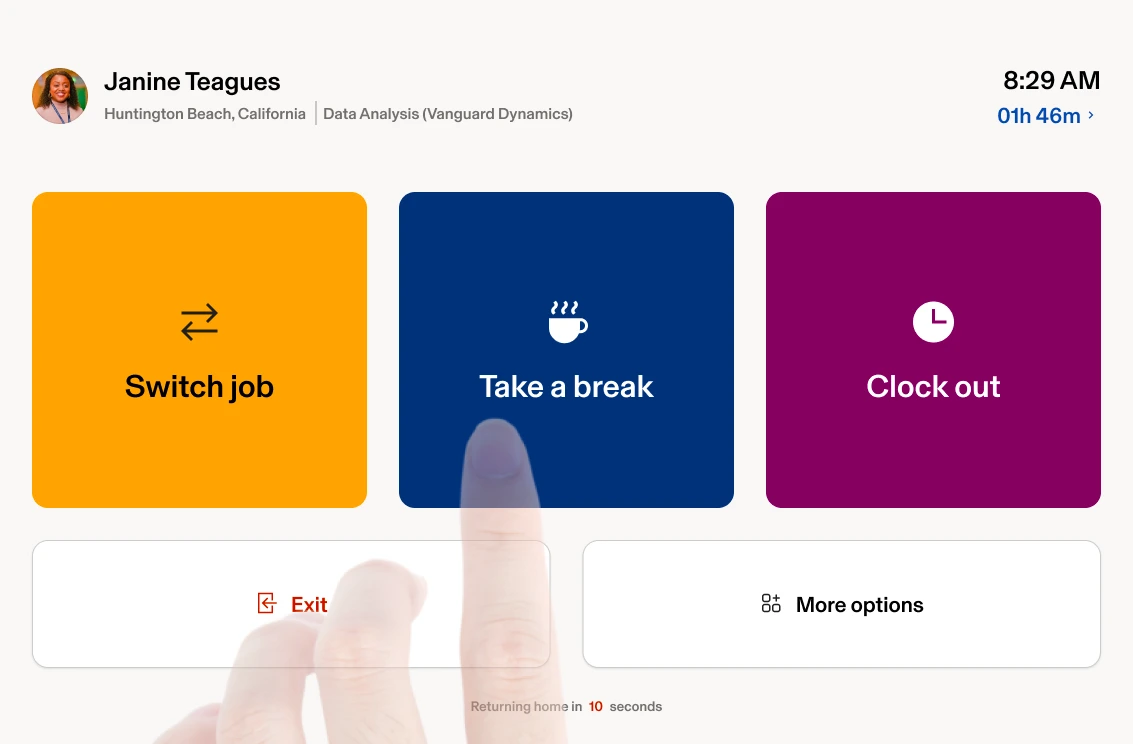
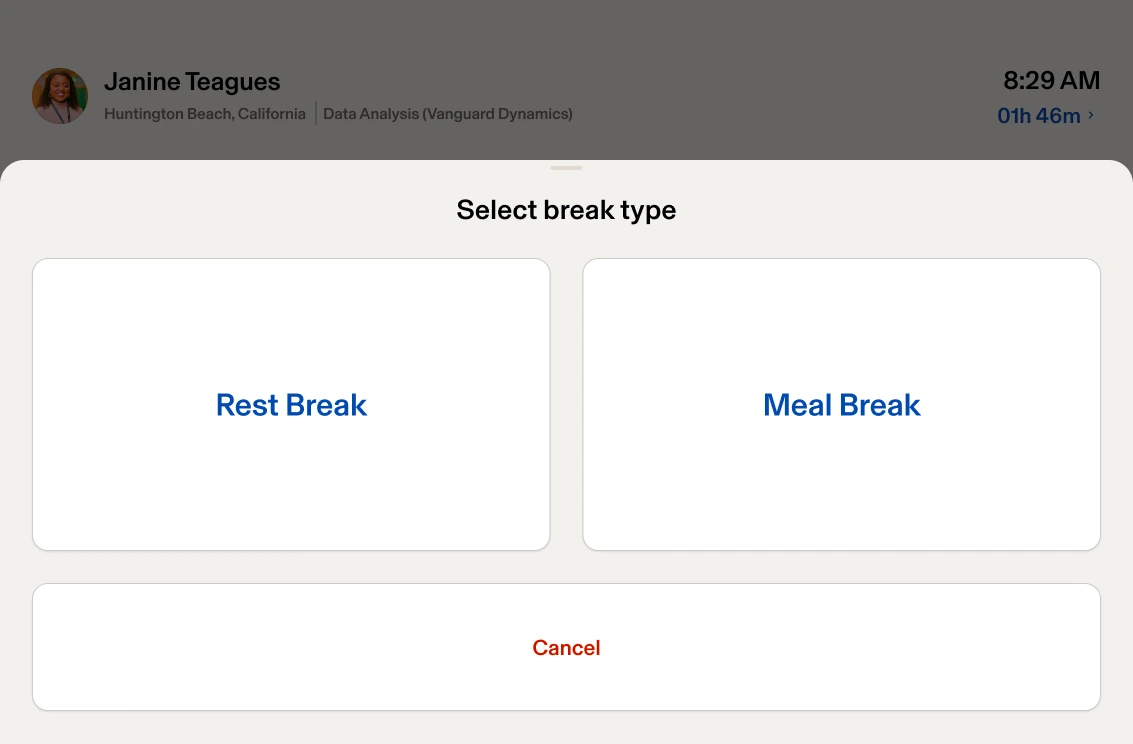
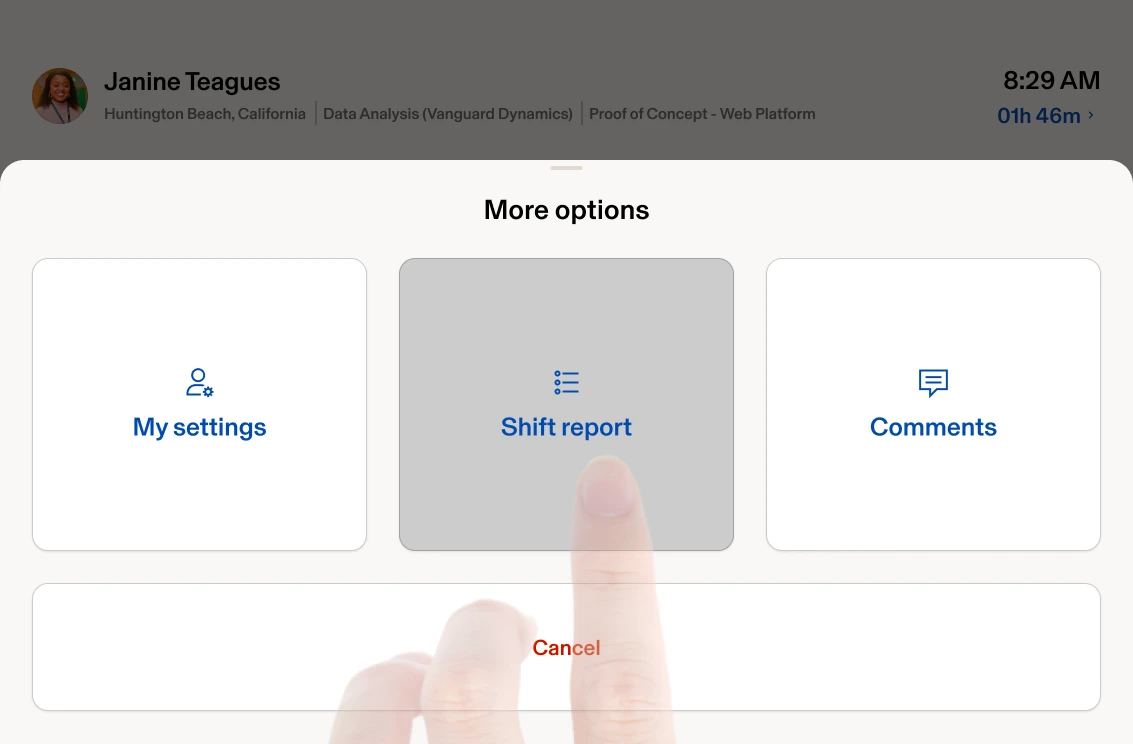
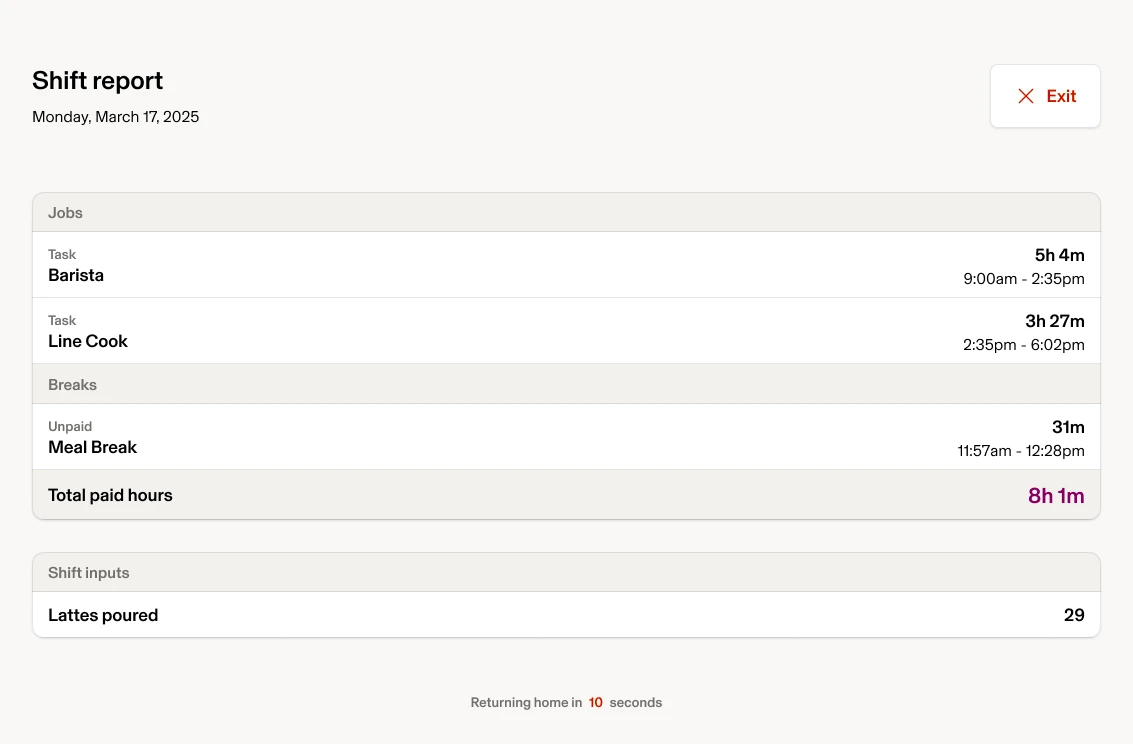
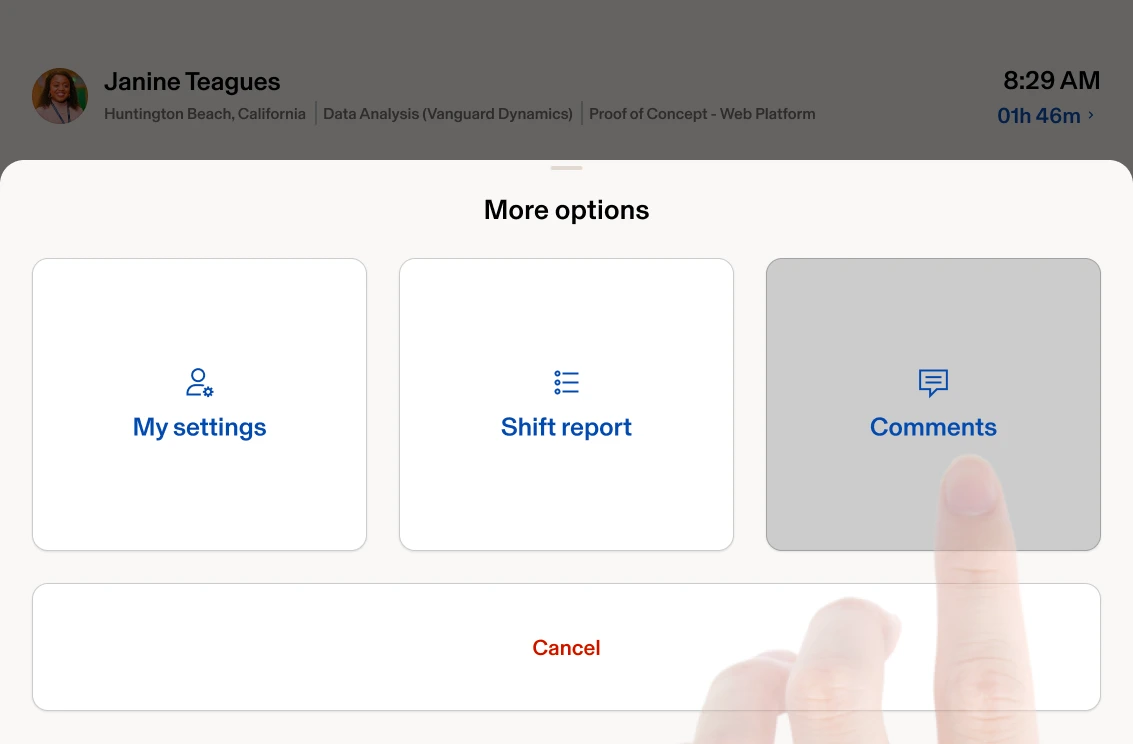
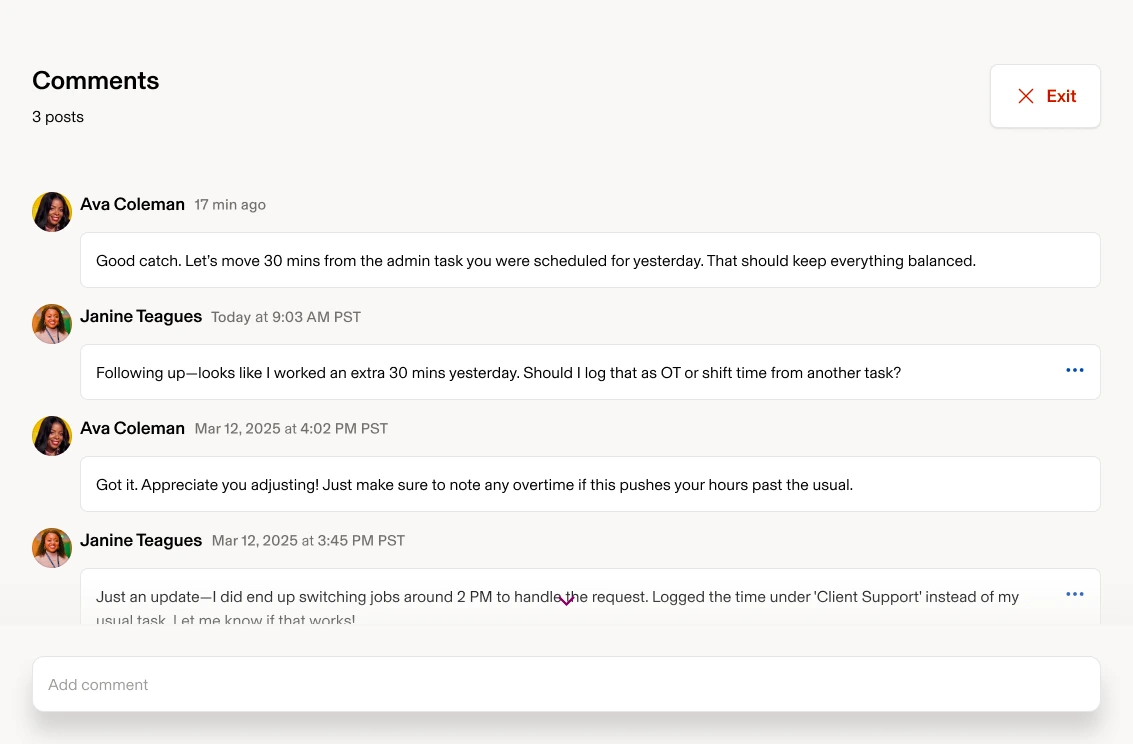
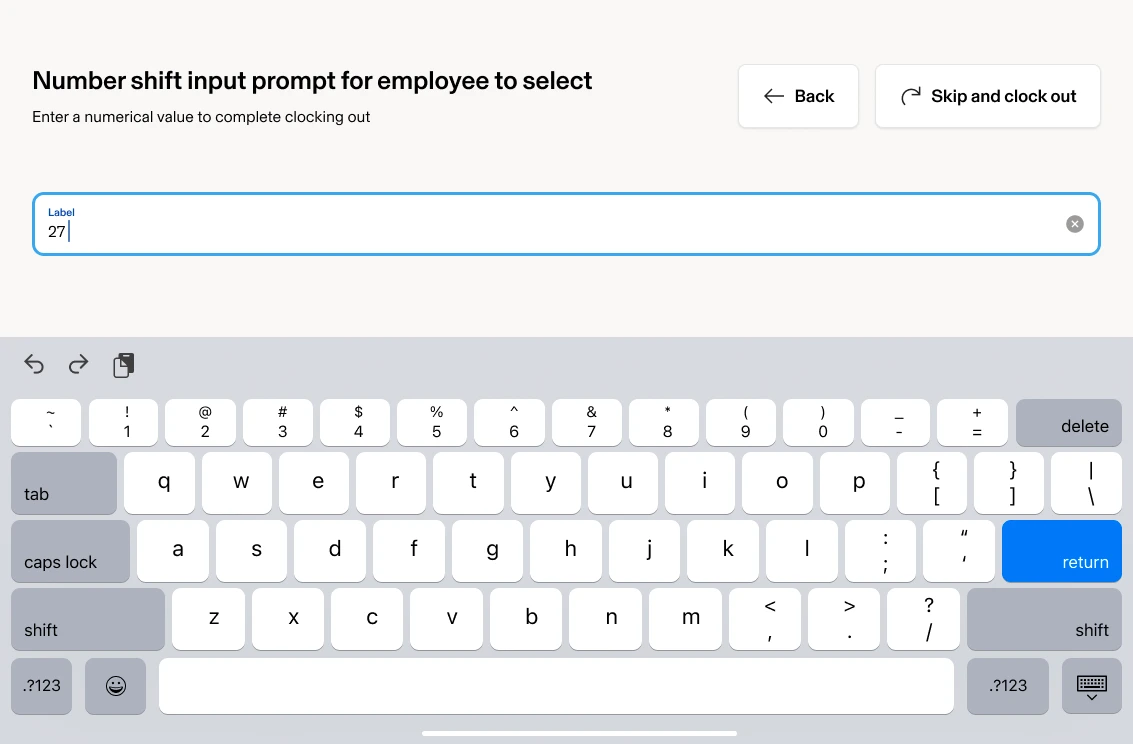
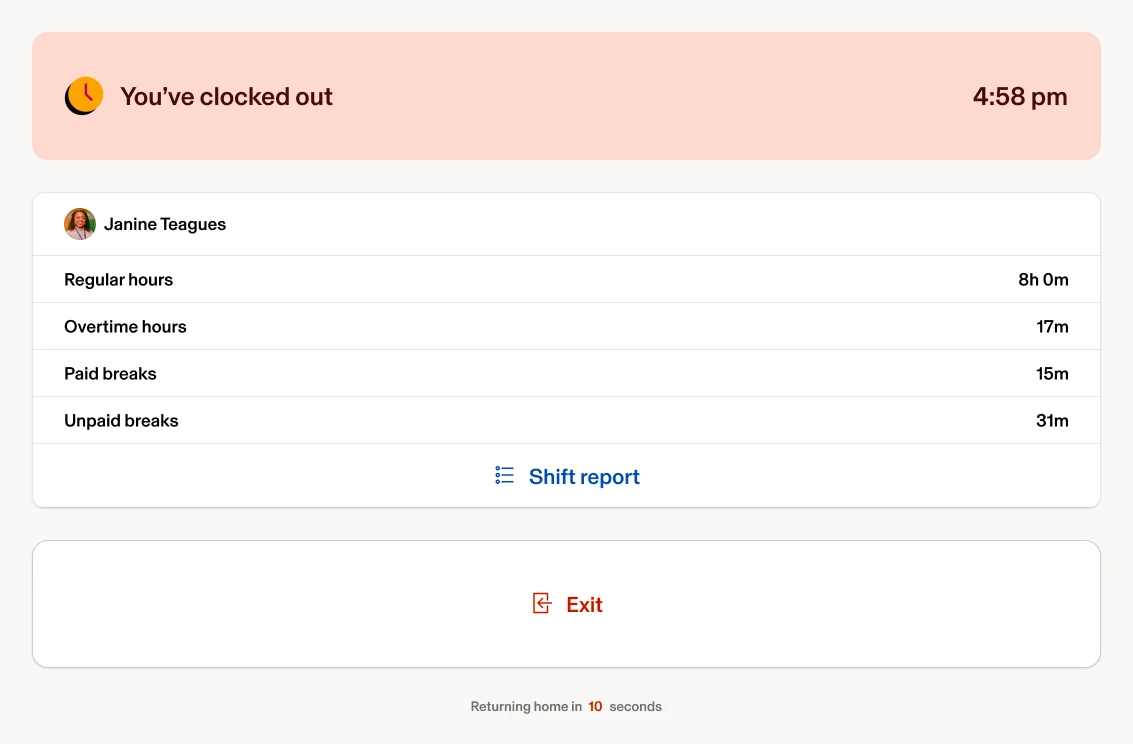
FIG. HHome page · Clock in · Switch job selection · Taking a break · View my shift report · View timesheet comments · Enter shift premiums
→
Clock in→
Clock in
Switch job→
Switch job
Take a break→
Take a break
Shift report→
Shift report
Comments→
Comments
return→
return
What I learned
A simple-looking app can hide a lot of complexity
Raise the bar early: solve with a framework, not a feature patch
Designing for BYOD(evice) + dedicated hardware in parallel prevents product drift
Clear performance constraints (e.g., <3s to clock) sharpen design decisions
Special shoutout to Adrian… [he led] an entire app redesign and an extensible tablet design system that didn’t exist at Rippling. The result is something we can be proud of.